
Connecting Spartakus with My Industrial Oil Analysis Lab
/
read
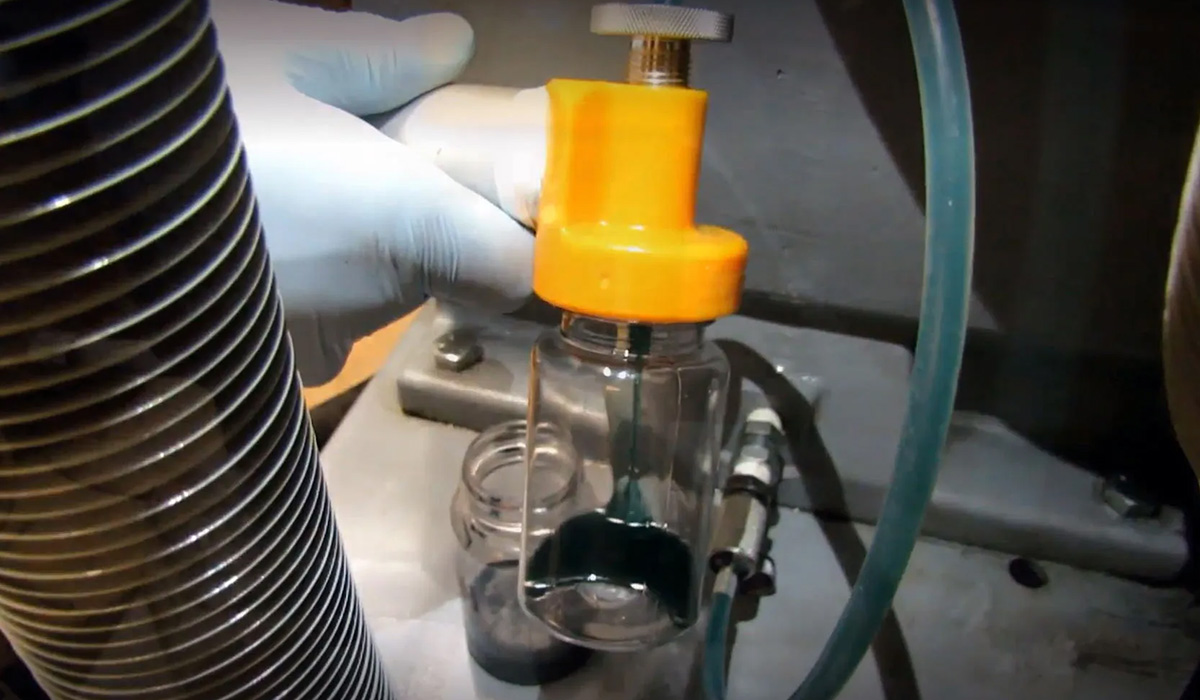
Efficiently managing maintenance and gaining insights into asset health is essential for any organization. One invaluable tool in this endeavor is oil analysis, which provides critical information for proactive maintenance. To streamline this process, connecting Spartakus software to your oil analysis laboratory is a smart choice. The company and its team provide tailored solutions to meet the specific needs of clients seeking to integrate Spartakus with their oil analysis lab, ensuring a seamless experience. In this article, we will guide you through the steps involved in making this connection, highlighting its benefits and the timeline for deployment.
Oil analysis is a cornerstone of predictive maintenance, providing vital insights into the health of your machinery. Traditionally, oil analysis reports are provided by laboratories in formats such as PDFs or Excel files. While some labs now offer client portals for viewing results, many also provide access to reports and data through their website, making it easier to track and manage information.
Integrating this data into a comprehensive Asset Performance Management (APM) system like Spartakus is a game-changer. Let’s explore the reasons why you may want to connect your APM to your oil analysis laboratory.
Why Connect Your APM to Your Oil Analysis Lab?
Integrating your oil analysis results with Spartakus grants you immediate access to historical data, facilitating trend analysis and better decision-making.
Spartakus enables you to correlate oil analysis results with data from other monitoring technologies, helping you identify patterns and confirm ongoing equipment issues.
With this integration, you can seamlessly convert analysis results into work orders, streamlining maintenance processes.
You can track the history and actions related to specific components, making it easier to manage maintenance tasks effectively.
Stay up to date with the status of issues detected through oil analysis, allowing for swift responses and minimizing downtime. This integration enhances condition monitoring, providing real-time insights essential for predictive maintenance.
By automating the data transfer process, you eliminate the need for manual data entry, reducing errors and saving time.
After maximizing equipment performance, integration can increase equipment availability and support fleet-wide maintenance strategies, ensuring optimal operation across all assets.
The image below is an example of the alert that was created because the oil analysis sample was should high water and wear particle content. The process of obtaining this information was brought automatically from the laboratory’s servers.

The Process: Connecting Spartakus with Your Oil Analysis Lab
To get Spartakus connected to your chosen oil analysis lab, you will need to follow a series of steps, and the duration of each step may vary depending on your specific circumstances. Below is summary table and a detailed breakdown of the process:
| Task | Responsible | Days to completion |
|---|---|---|
| Approval from the Oil Analysis Laboratory | Spartakus and/or the client | 5-10 |
| Spartakus Accesses Raw Data | Spartakus | 5-10 |
| Spartakus Interprets and Builds a Template | Spartakus | 5-10 |
| Choose Alarm Parameters or Set Existing Ones | Spartakus and/or the client | 5 |
| Obtain the Lab Unit ID | Spartakus or the client | 1 |
| Validation | Spartakus and the client | 5 |
By integrating Spartakus with your oil analysis lab, organizations managing large fleets benefit from improved condition monitoring, increased equipment availability, and measurable ROI through cost savings and enhanced maintenance efficiency.
1. Approval from the Oil Analysis Laboratory
The initial step is to obtain approval from the oil analysis laboratory. This approval also ensures that the lab has an accessible Application Programming Interface (API) that can be used by external systems like Spartakus. While most labs have APIs, it’s essential to verify this and secure the necessary permissions.
2. Accessing Raw Data
Upon receiving approval, Spartakus initiates the process of accessing the raw oil analysis data. While this step can be relatively quick, potential delays may arise due to factors like authorization keys, firewalls, or other technical challenges. Effective communication between Spartakus and the laboratory is crucial for a smooth process.
3. Data Interpretation and Template Creation
The data provided by the laboratory via the API often arrives in a basic format, such as JSON or CSV. Spartakus takes on the task of transforming this data into a user-friendly interface within its platform. Critical oil analysis parameters, such as base number, viscosity, fuel dilution, and coolant contamination, are often included in the reports and presented in a way that is easy to read and visually appealing for users.
4. Alarm Parameter Configuration
Defining alarm parameters is a critical aspect of monitoring equipment health. Spartakus assists in configuring the alarm thresholds for different measurements. This ensures that you receive timely alerts when critical values are reached. You can choose from generic industry standards or customize parameters based on your specific requirements. Additional or advanced testing can also be configured as needed to address specific industrial challenges.
5. Obtaining the Lab Unit ID
Each laboratory has a unique identifier for every component measured, the term used for this identifier at Spartakus is the Lab Unique ID (LUI). This identifier is vital for Spartakus to accurately match results with specific components. It’s worth noting that labs might use different terms for this ID, and clear communication is key.
6. Validation
The final phase of the process involves validation. This step ensures that all necessary information is present and that the alarm parameters are correctly configured for each component measured. It is a critical quality assurance step to ensure your oil analysis data seamlessly integrates with Spartakus.
After validation the client will be able to view all results directly in the Spartakus platform. The image below is an example. The parameters that will be shown will be the ones that your laboratory tests not the ones in the example.

Best Practices for Maintenance
Adopting best practices for maintenance starts with a comprehensive oil analysis program that includes regular sampling, thorough testing, and detailed analysis. By consistently monitoring oil analysis reports, companies can detect early warning signs of potential problems, such as abnormal wear, contamination, or changes in oil properties. Promptly addressing any anomalies helps prevent equipment failures and reduces the risk of costly downtime.
A well-rounded oil analysis program should also include specialized testing, such as varnish potential analysis to assess the risk of varnish formation, and checks for fuel dilution and coolant contamination. These additional tests are crucial for maintaining oil integrity and ensuring the long-term reliability of machinery. By following these best practices, businesses can extend equipment life, lower maintenance costs, and build a more reliable and efficient operation.
Conclusion
In conclusion, connecting Spartakus to your oil analysis laboratory is a strategic move for optimizing maintenance and gaining deep insights into asset health. This educational guide has shed light on the significance of this integration and the step-by-step process involved. Regardless of whether Spartakus already has a connector with your lab or not, the deployment cost remains the same, making it an efficient solution for maintenance optimization.
The ability to monitor and manage assets with real-time insights empowers organizations to make informed decisions, reduce downtime, and enhance operational efficiency. Embrace this connection to harness the full potential of your oil analysis data.

Michael Simard-Chachoua
Spartakus technologies
[email protected]