
Spartakus APM New Features: August 2026
/
read
This release is a short one, and deliberately so. Both updates come straight from the field: one rebuilds the screen technicians spend their day on so it shows everything they need in a single place, and the other takes work order numbering off their hands entirely for sites that don’t run a CMMS.
1. A Route Execution Screen Built Around the Technician
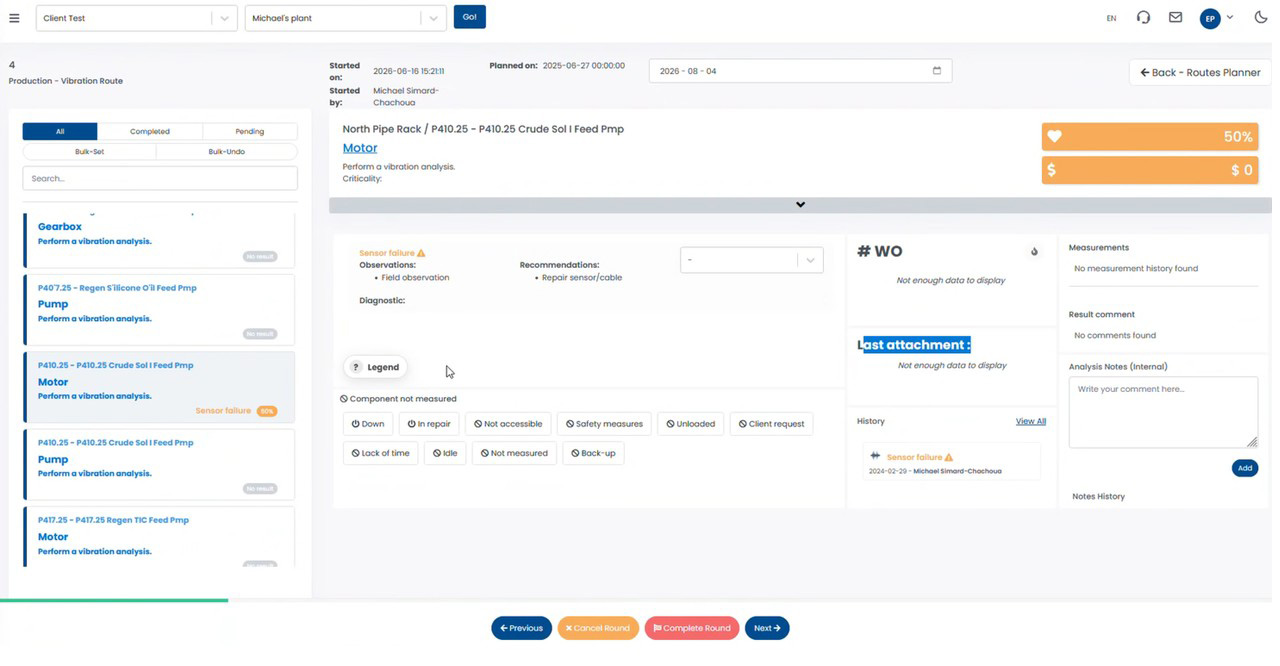
The route execution screen is where the work actually happens. Technicians open it at every asset on a route, and everything they need to record a result — and everything they need to know before they do — has to be within reach. Technicians told us exactly how they wanted that screen laid out, and this update delivers it.
What’s new
The screen has been reorganized around a single principle: one asset, one view, no scrolling for context. The result panel on the left holds the observations, recommendations and diagnostic for the component being measured, with the severity selector right beside them. Below it sits a row of one-tap reasons for anything that couldn’t be measured. The right-hand column brings together the work orders attached to the alert, the last attachment, the full history of the component, and both the result comment and the internal analysis notes — so the context that used to live in other screens now travels with the task.
Why it matters
Route execution is repetitive by design: the same sequence, asset after asset, often on a plant floor with gloves on and limited time. Every extra click and every jump to another screen is paid for dozens of times a day. Grouping the result, its history and its work orders in one view means a technician can see what was found last time, what was already raised, and what needs to be recorded now — without leaving the task.
One-tap results with a clear legend
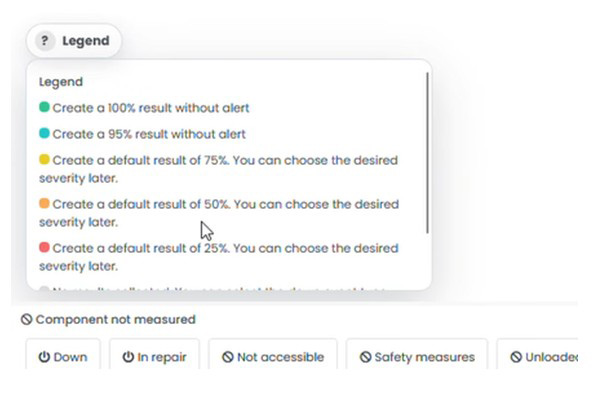
A legend is available directly on the result panel, so the meaning of each severity shortcut is never a guess. Selecting a value creates the result immediately — 100% and 95% record a healthy component with no alert, while 75%, 50% and 25% create a default result whose severity can be refined later by the analyst.
Components that couldn’t be measured
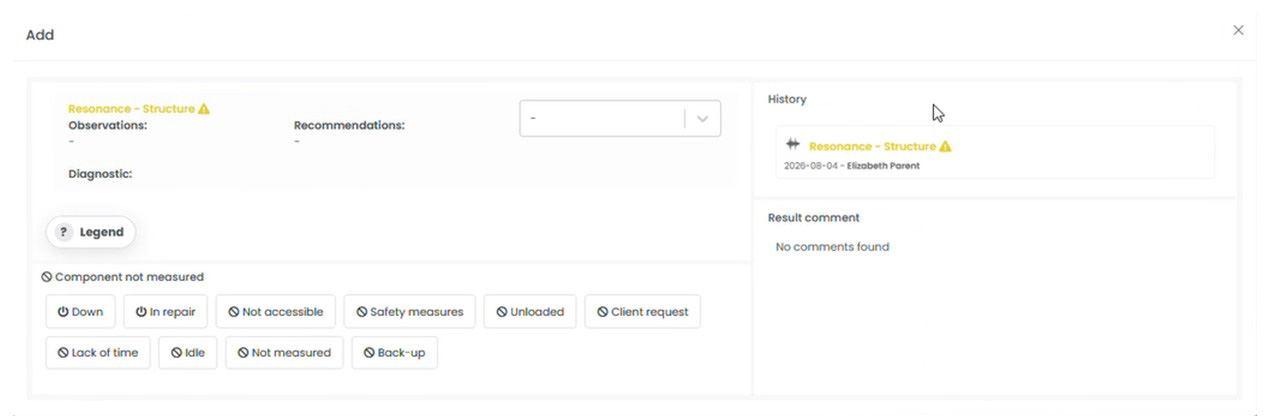
When a component can’t be measured, the reason is one tap away: down, in repair, not accessible, safety measures, unloaded, client request, lack of time, idle, not measured, or back-up. The reason is captured with the task instead of being lost, which keeps compliance numbers honest and gives planners a real explanation when a task comes back unmeasured.
Who benefits most
- Technicians running routes on the web, who now work from a single screen
- Analysts reviewing results with the component’s history and comments already in view
- Planners who get a documented reason whenever a task couldn’t be measured
2. Automatic Work Order Numbering
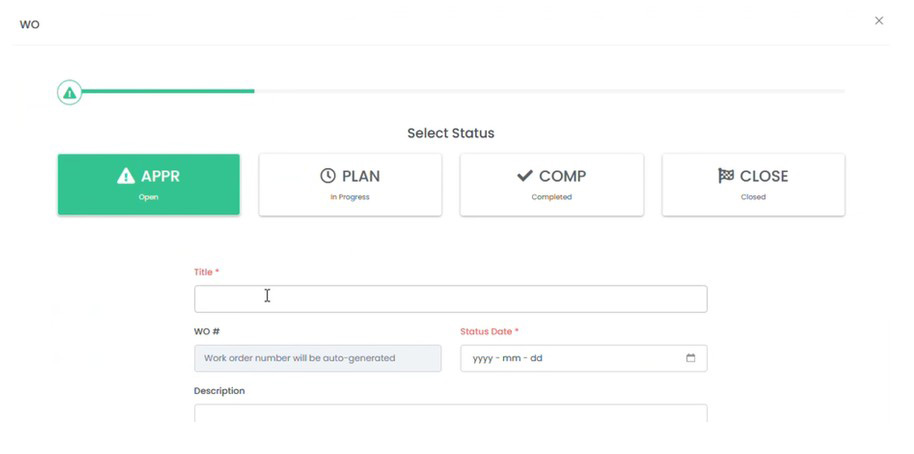
Until now, every work order created in Spartakus needed its number typed in by hand. For clients running a CMMS that’s exactly right — the number belongs to the CMMS. But smaller plants without one were left inventing their own numbering scheme, and typing it in over and over.
What it does
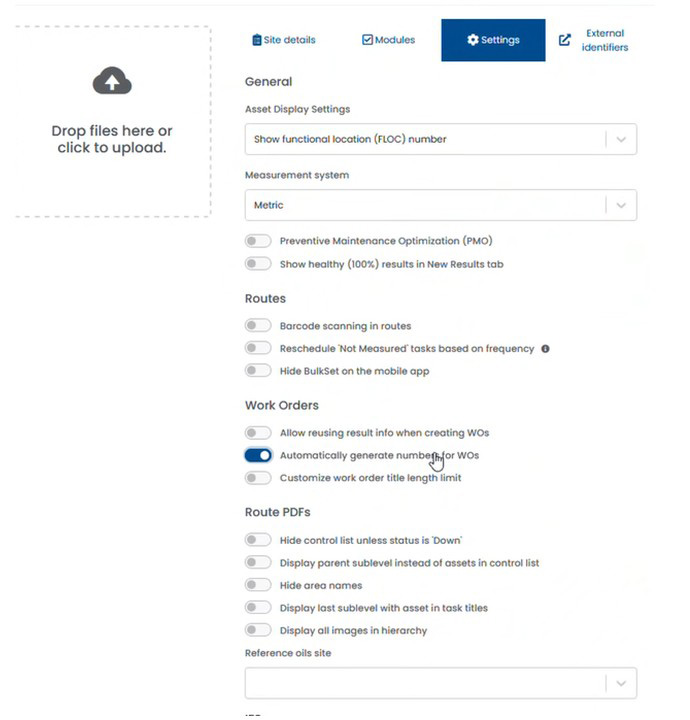
A new site-level option lets Spartakus generate the work order number itself. With it enabled, the WO # field is filled automatically when the work order is created, and displays a clear placeholder in the meantime rather than an empty box waiting for input.
How the numbering works
- Numbers are sequential, not random — each new work order continues the count.
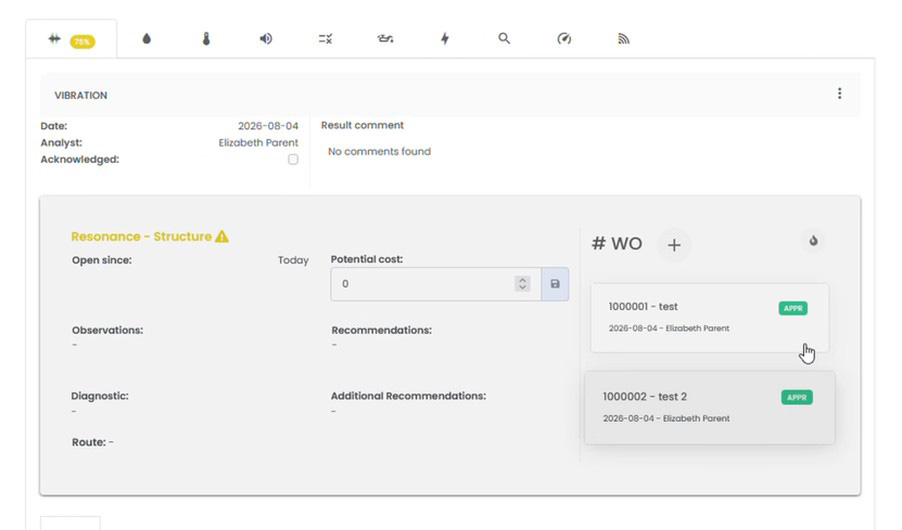
- Each site has its own sequence, starting at 1,000,000, so numbers never collide between sites.
- Work orders already recorded at the site are counted. A site with 488 existing work orders receives 1,000,489 as its first automatically generated number.
- While the option is active, the number can’t be edited — every new work order follows the sequence, which is what keeps it free of duplicates.
Why it matters
Manual numbering is the kind of small task that quietly creates problems: two technicians pick the same number, a digit gets transposed, or a site’s scheme drifts over the years until nobody can tell in what order the work happened. An incrementing number removes all of that, and gives sites without a CMMS a reliable reference to quote in reports and conversations with clients.
Who benefits most
- Smaller plants operating without a CMMS
- Site administrators who want consistent, duplicate-free work order references
- Technicians who no longer have to think about a number before recording the work
Built From What the Field Tells Us
Spartakus APM continues to evolve around how maintenance and reliability teams really work, and we’re grateful to the clients and partners whose input shaped this release.
Ready to see Spartakus APM in action?
If you’d like to streamline route execution, simplify your maintenance data, and give your teams smarter tools to work with, we’d be glad to show you around.

Raphael Tremblay,
Spartakus Technologies
[email protected]